Pair your AI agent with Skillyo, and it can:
Talk through how you do something. Your agent writes it up as a skill your team can run.
Ask for a skill by what it does. It runs your team's way, and the result lands in Skillyo for everyone.
Every Monday, every morning, before every meeting. Your agent runs the skill, and the result is waiting for you.
Your agent keeps an eye on your skillspace and tells you when something new comes in.
A skill picks the museum worth seeing. Your agent notices tickets just went on sale and offers to book them.
And whatever your agent comes up with next.
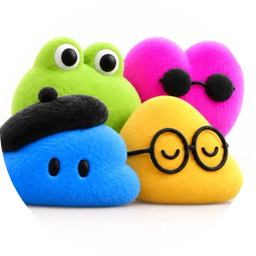
Muse, Dots and Grok Bot, working from the same skills.
 Next up: Claude Duet
What does Skillyo give your agent?
An AI agent works on its own: it runs on a schedule or when something happens, and comes back to you. Pair one with Skillyo and it works from your team's skills, files and brand, and every result lands where the whole team can see it.
Your team's skills, not a blank prompt
Your agent runs the skills your team agreed on, with their forms, files and brand, instead of making it up each time.
Results the whole team can see
Every result lands in the shared skillspace, marked with who ran it and from which app or agent, not buried in one person's chat.
Pick up where a teammate left off
Ask your agent for Priya's latest result and build on it, or ask what's new since Friday and catch up on results, comments and messages.
New skills from a conversation
Talk your agent through how you do something, and it adds the steps to Skillyo as a skill the whole team can run.
The same standard, whoever asks
A skill runs on the model set for it in Skillyo, never the agent's own, so your agent and your colleague in ChatGPT get the same quality.
Improve it once, for every agent
Change a skill in Skillyo and the next run uses it, for every person and every agent. No copies to keep in step.
A week with a team of agents
One shared skillspace for the Acme team. Each person picks their own agent, and they all work from the same skills.
- Sunday, 10 pm
 A
AAna's Muse runs the competitor radar for each client. One competitor cut its prices, so Muse suggests running the pricing response skill and asks Ana first.
On a schedule - Monday, 7 am
 P
PPriya's Dot runs the weekly status skill with this week's numbers. The status is in the team's skillspace before anyone opens a laptop.
On a schedule - Monday, 9 am
 B
BBen's Grok Bot feeds new posts from the client's market on X into a Reply ideas skill it built. The skill drafts replies for Ben, his CEO and the company account, and Grok Bot lines them up for Ben to post.
Act on what it finds - Wednesday, 2 pmB
Chloe, a client, runs the proposal skill from her own ChatGPT. Grok Bot spots the new result and tells Ben.
Watch for new results - Thursday, 4 pmA
Ana talks Muse through how she gets ready for a client call. Muse writes it up as a Call prep skill, and the whole team can run it from their own apps.
Build a skill - Friday, 8 amA
Before Ana's call, Muse runs Call prep. The brief shows the client renews next month, so Muse offers to run the renewal plan skill too. Priya picks up the plan from Notion AI.
Follow up
Which AI agents work with Skillyo?
Muse, Dots and Grok Bot today, with Claude Duet next. Each one reaches the same skills, and every result lands in the same place.
Muse
Builds new skills from a conversation, runs your team's skills, and follows up on what they find. It can work on a schedule and check in with you on its own.
Muse and SkillyoDots
ChatGPT's always-on agents. A Dot runs a skill with its inputs on a schedule, so the result is in your skillspace when you start the day.
Dots and SkillyoGrok Bot
xAI's agent. It can build a skill and keep feeding it what it finds on X, sum up what your team has made this week, and watch for new results.
Grok Bot and SkillyoClaude Duet
Next upAnthropic's proactive agent, which watches your inbox and apps and asks before it acts. We're trying it with Skillyo next.
Any other agent that supports MCP with sign-in gets the same skills. Setup steps
What can each agent do on its own?
The schedule and the triggers belong to the agent. Skillyo gives it your team's skills to run and one place for the results.
| Muse | Dots | Grok Bot | Claude Duet | |
|---|---|---|---|---|
| Run a team skill on a scheduleEvery Monday, the result is in the skillspace for everyone, not in one person's chat. | ● | ● | ● | ○ |
| Act when something happensThe agent spots a new result or a change, runs the skill your team agreed on, and tells you. | ● | ● | ● | ○ |
| Follow up on what a skill foundThe agent reads the result and offers the next step, like running a second skill. | ● | ○ | ● | ○ |
| Work in the backgroundLong jobs on the agent's own computer, with the results landing in the skillspace. | ● | ● | ● | |
| Deliver it where you areThe agent passes the result on in Slack, Teams or a message. | ● | ● |
MuseDotsGrok BotClaude Duet, nextMuseDotsGrok BotClaude Duet, nextMuseDots, nextGrok BotClaude Duet, nextMuseDotsGrok BotMuseDotsFrom each agent's maker and our own tests, updated . Agents add features every month, and we update this page when they do. Every agent runs your skills and reads your results.
What can an agent do without you?
Find and run your skills, and read the results in the skillspaces you allow. The rest waits for you.
Nothing goes out without a yes
Anything that sends, shares or saves waits for a person to say yes, whoever started it: a reply, a comment, a share link, a new skill.
You choose the skillspaces
Turn on the skillspaces your AI apps and agents may use. Every app and agent you connect can reach the ones you turn on, and none can reach the rest. A skillspace's owner also decides whether its members can use it from their apps at all.
A budget it can't run past
Set a monthly budget for runs from apps and agents, so a schedule can't run up a bill.
Disconnect any time
Remove an agent's access whenever you like. Your skills and every result stay in Skillyo.
Questions we get about AI agents
What is an AI agent?
An AI app answers when you ask. An AI agent works on its own: it runs on a schedule or when something happens, and comes back to you with a result or a question. Muse, Dots and Grok Bot are agents, and Claude Duet is next.
Are Claude and ChatGPT AI agents?
They're AI chat apps: you ask, and the skill's form and result open right in your conversation. Your colleagues and clients can run the same skills from them that your agents run. Skillyo in Claude, ChatGPT and other AI apps
Which AI agents work with Skillyo?
Muse, Dots and Grok Bot run your team's skills today. Any agent that supports MCP with sign-in can connect. Claude Duet is next. Setup steps for every agent
Can an AI agent run a skill on a schedule?
Yes, with the agent's own schedule. A Dot, a Muse task or a Grok Bot schedule runs your skill at the time you set, and each result lands in your skillspace like any other run.
My agent already remembers how I like things done. Why use Skillyo?
Your agent remembers for you. Skillyo's skills are for your whole team: colleagues run them from their own apps and agents, clients from a link with no account, and every result lands in one shared skillspace. Improve a skill once and every person and agent gets the new version.
Can an agent send or share something without me?
No. Anything that sends, shares or saves waits for a person to say yes, and agents reach only the skillspaces you allow.
Which AI model runs my skill?
The one set for that skill in Skillyo, whichever agent starts it. Your Dot and your colleague in Claude get a result from the same model, so the quality doesn't depend on who asked.
Do my clients need an AI agent?
No. They can run your skills in Skillyo, from a link, on your website or in a Notion page, with no AI account, and get the same result. How embedding works
How do I connect my agent to Skillyo?
Add Skillyo's MCP server to your agent and sign in with your Skillyo account. It takes a minute, and your agent sees the skills in the skillspaces you allow. Setup steps
Give your agent your team's skills. Every result lands where everyone sees it.
Start with one piece of work your team repeats.